To add a new Case Type while registering a case:
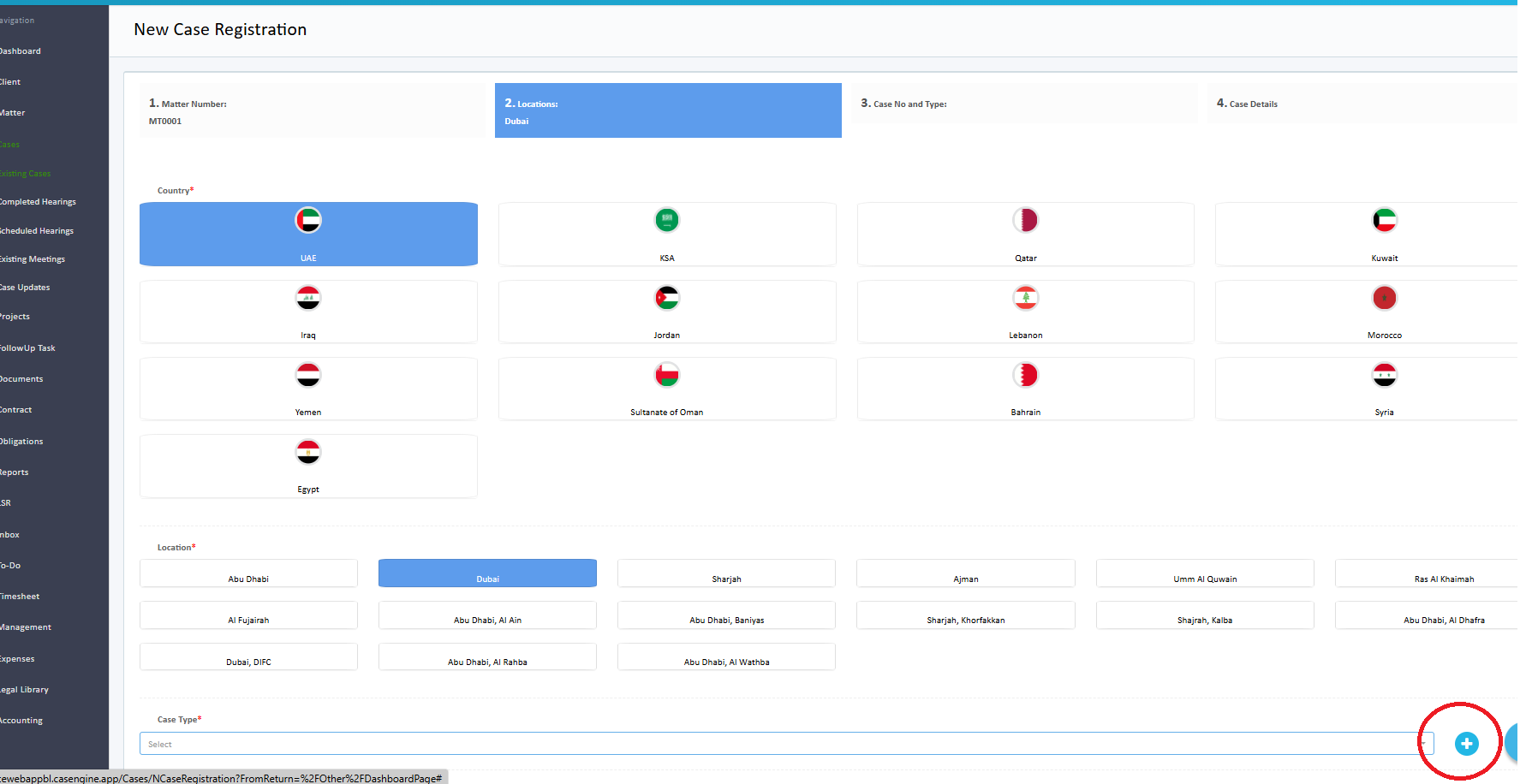
Click the "+" (plus) button next to the Case Type field.
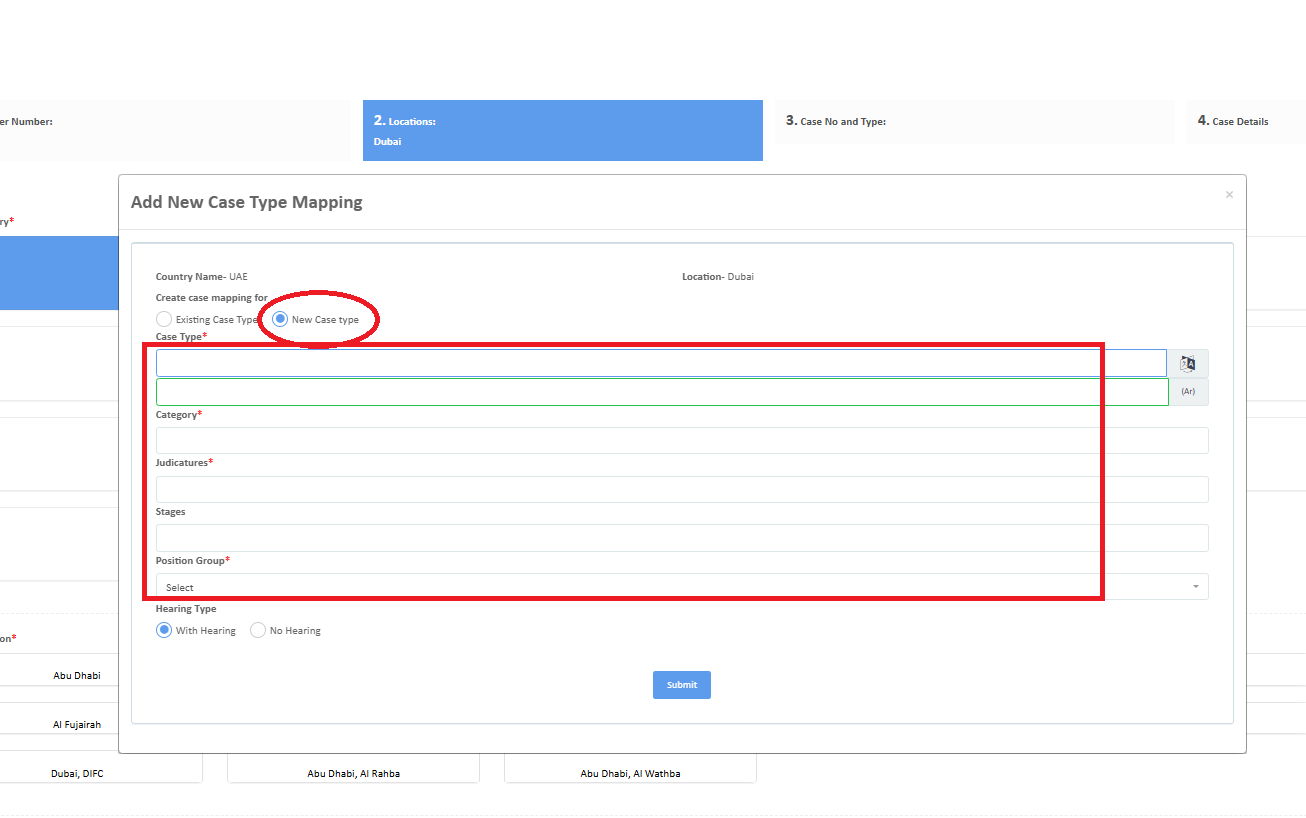
Enter the details of the new Case Type in the form that appears.
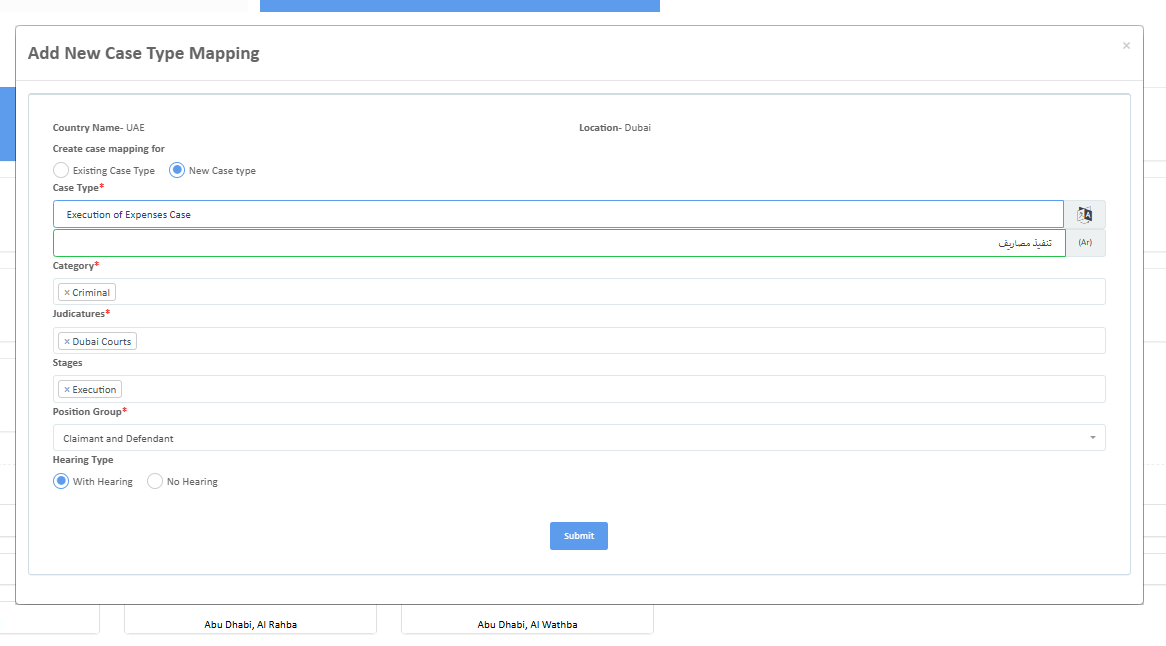
In the form that opens, fill in the following information:
Case Type (English)
Case Type (Arabic)
Category
Judication
Stage
Position Group
Click Submit to save the new Case Type.
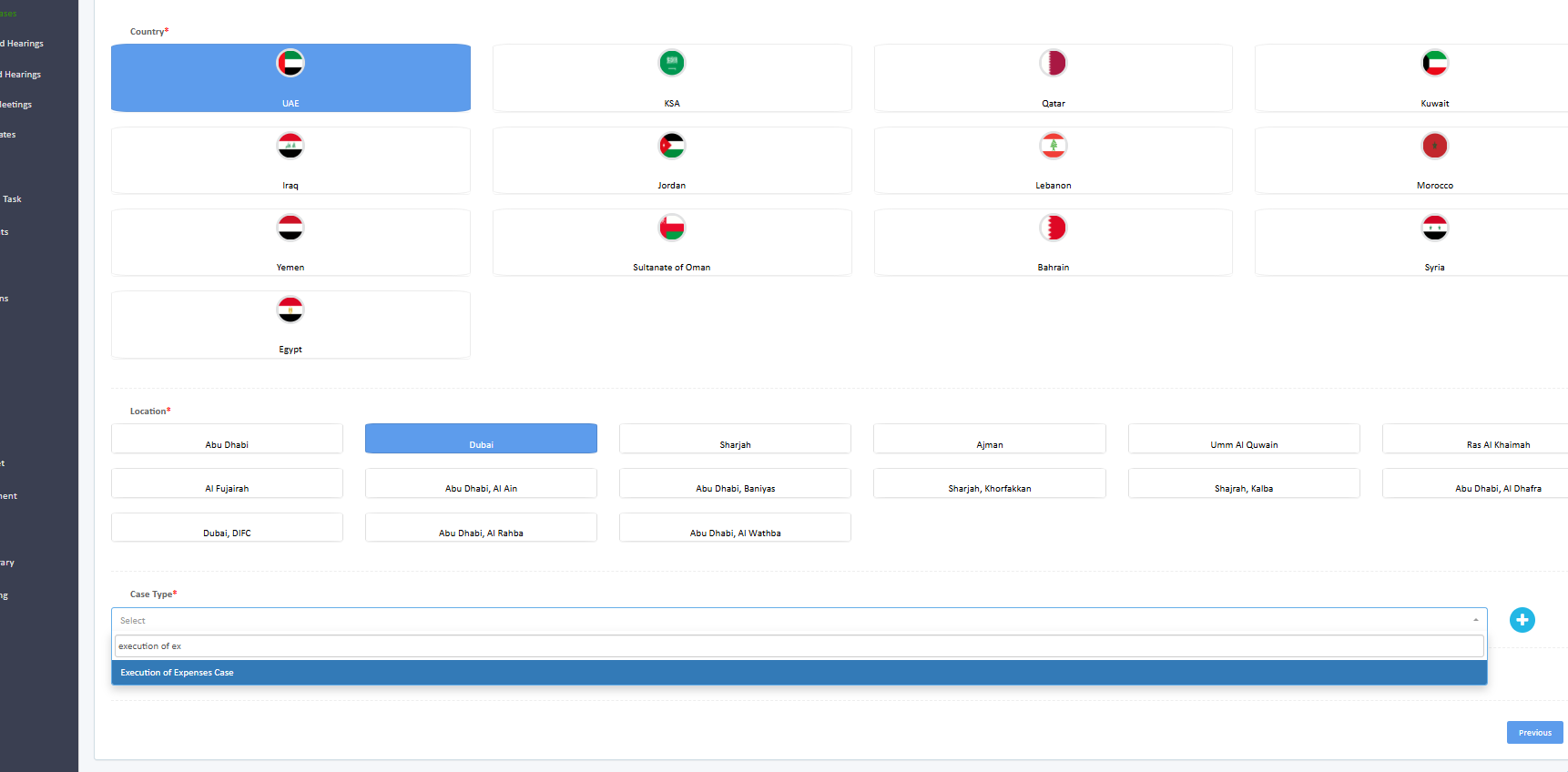
The newly added Case Type will now be available in the Case Type dropdown list for selection.
Was this article helpful?
That’s Great!
Thank you for your feedback
Sorry! We couldn't be helpful
Thank you for your feedback
Feedback sent
We appreciate your effort and will try to fix the article