Overview
A Client User (also referred to as an External User) is a user who can view information related to their client organization but cannot modify any data.
Access & Permissions
Can view:
Client details
Matters
Cases
Cannot:
Edit or update cases
Modify any client or matter information
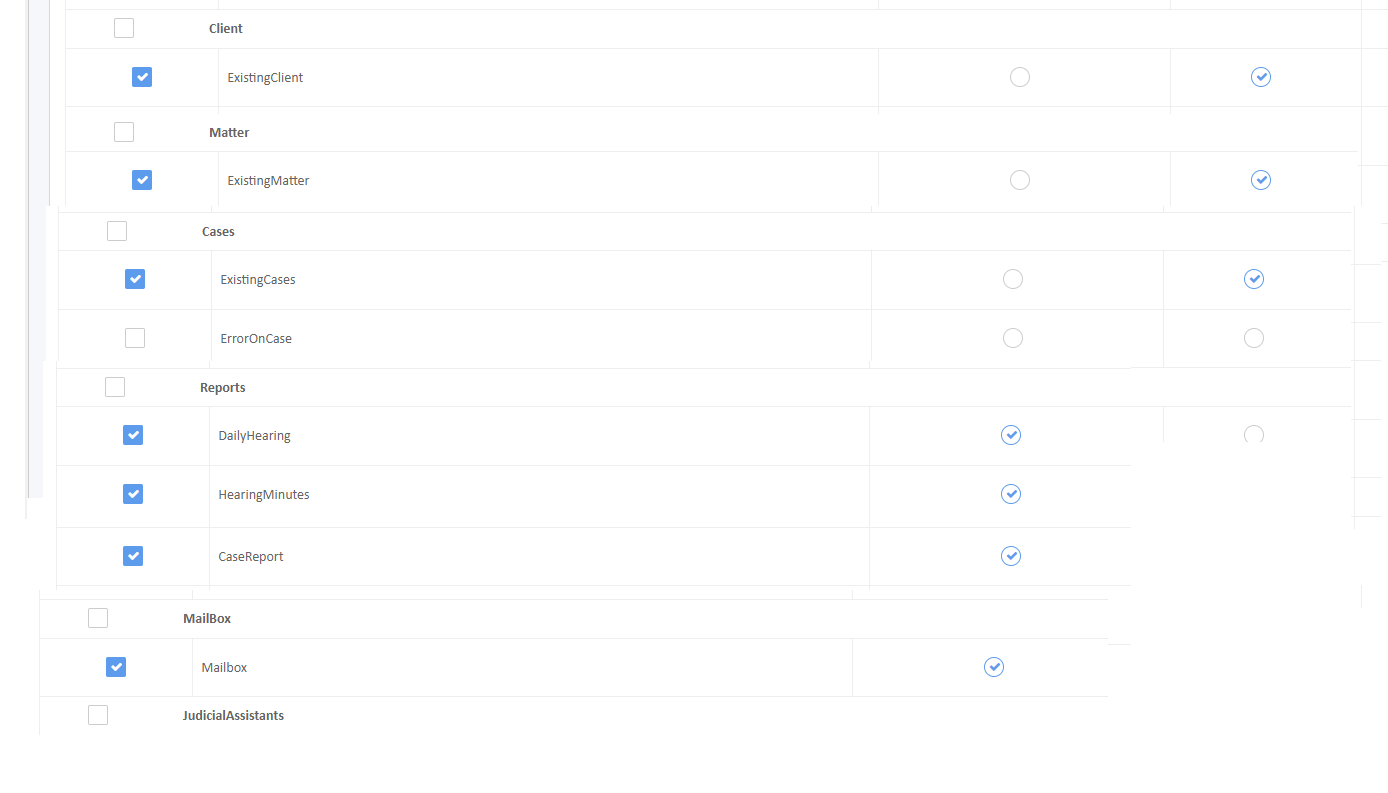
Explicit Permissions
If user mapping is completed, the following related data will be visible to the client user:
Cases
Matters
Emails
Tasks
Registering a Client User
Navigate to Settings → User Registration.
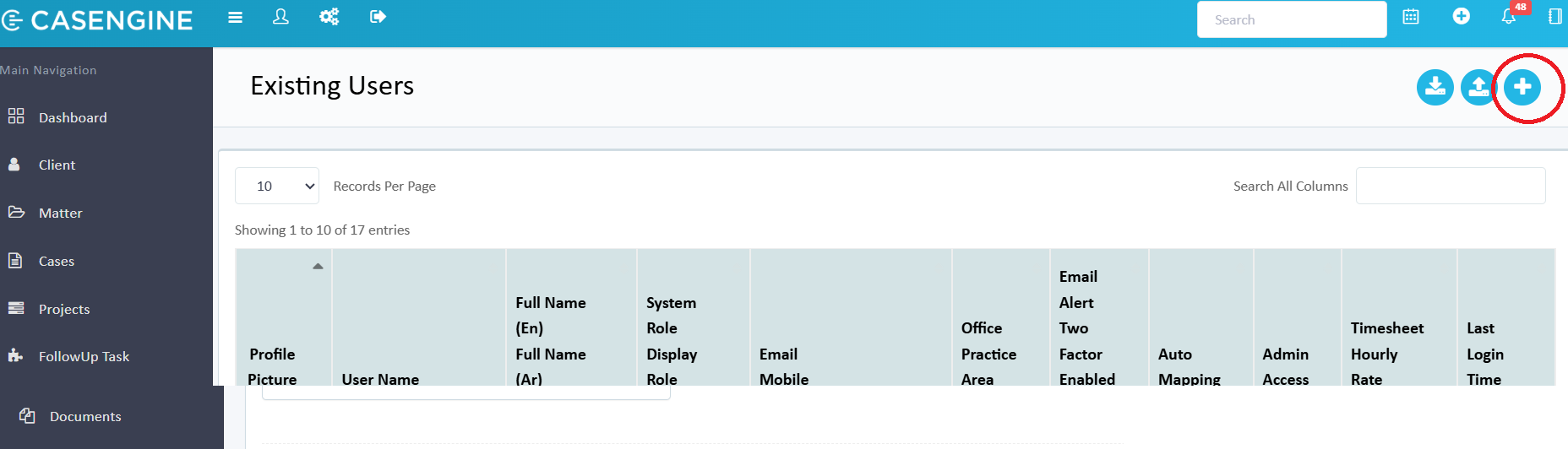
Click Add User.
Assign the Client role to the user.
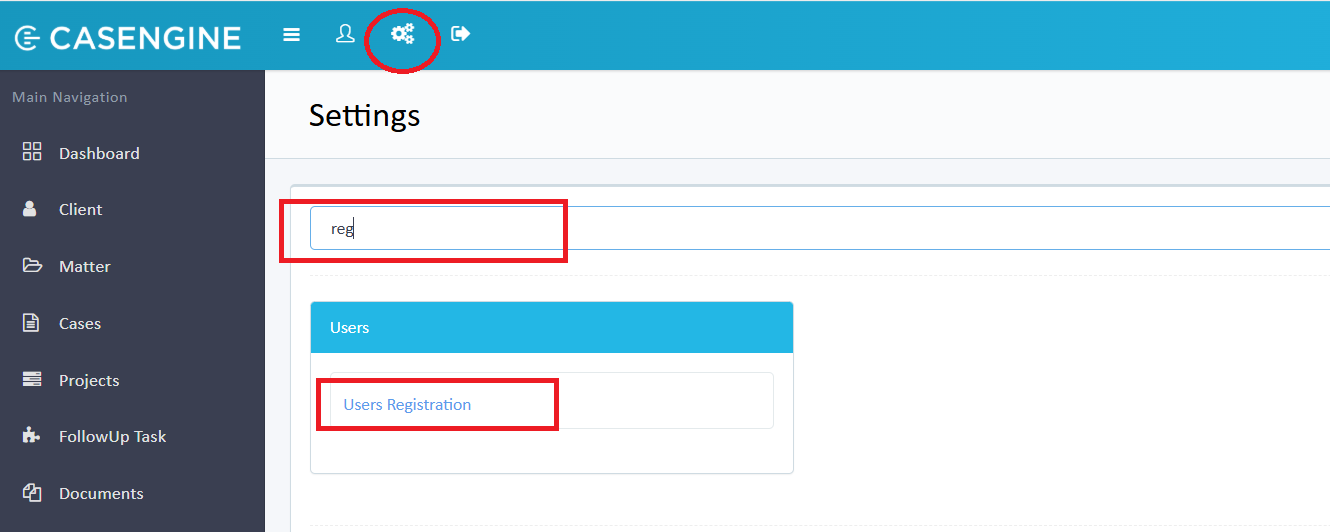
Click the Plus (+) icon to add a new user.
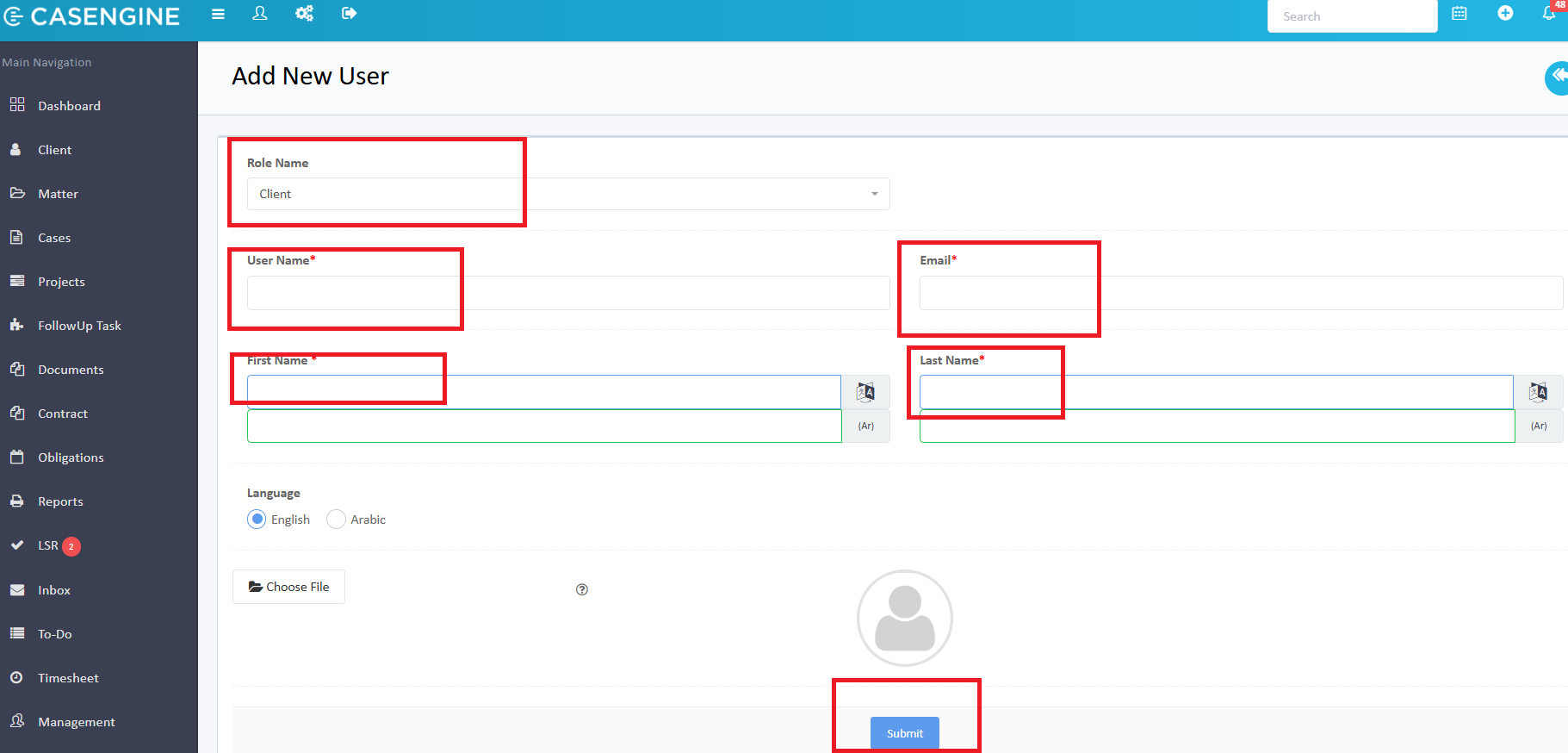
Fill in the required user details:
Username
First Name
Last Name
Role: Select Client
Mapping a Client User
To allow the registered client user to view data specific to a client:
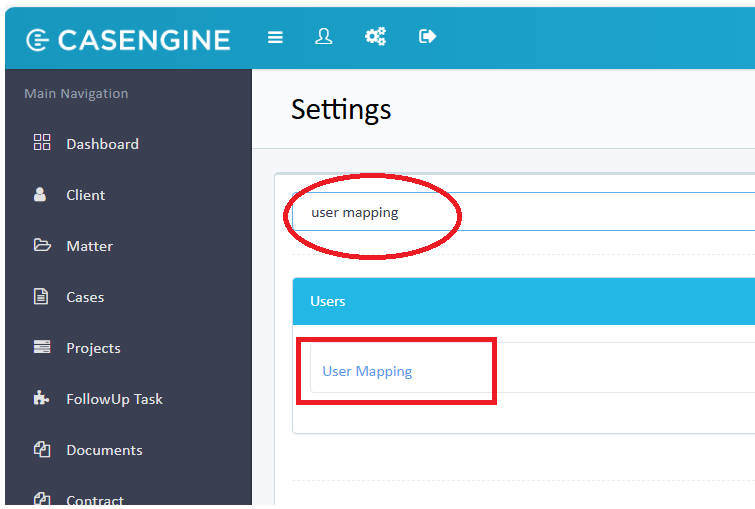
1. Go to Settings→ User Mapping.
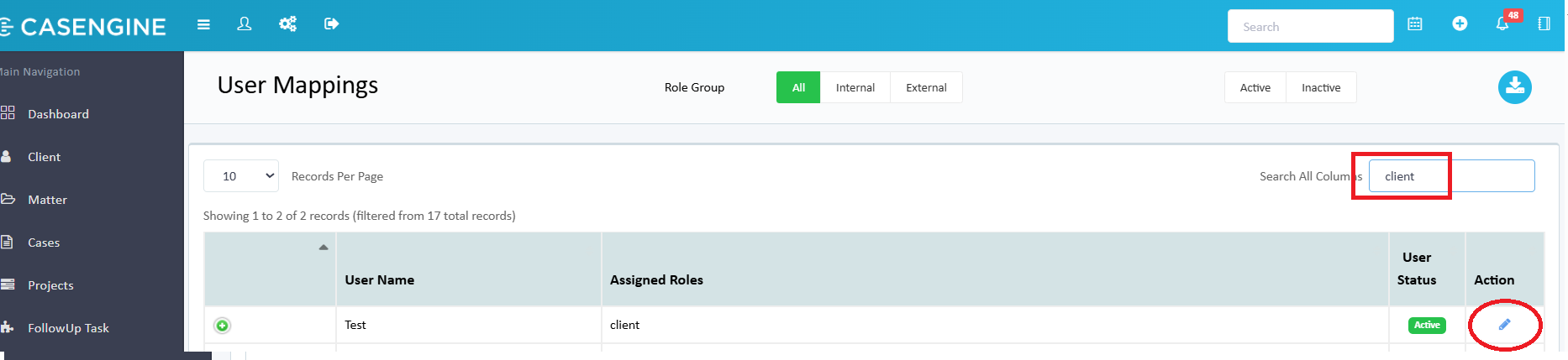
2. Select the Client from the list and Click on the Edit button
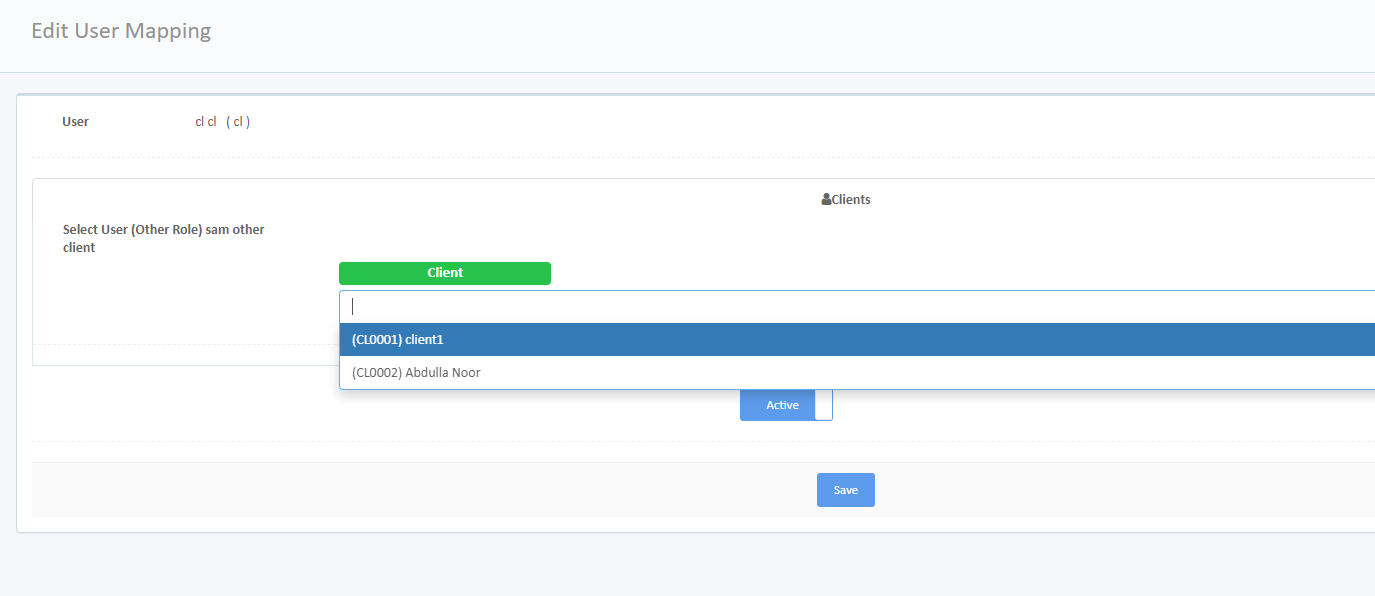
3. Link (map) the registered user to the selected client.
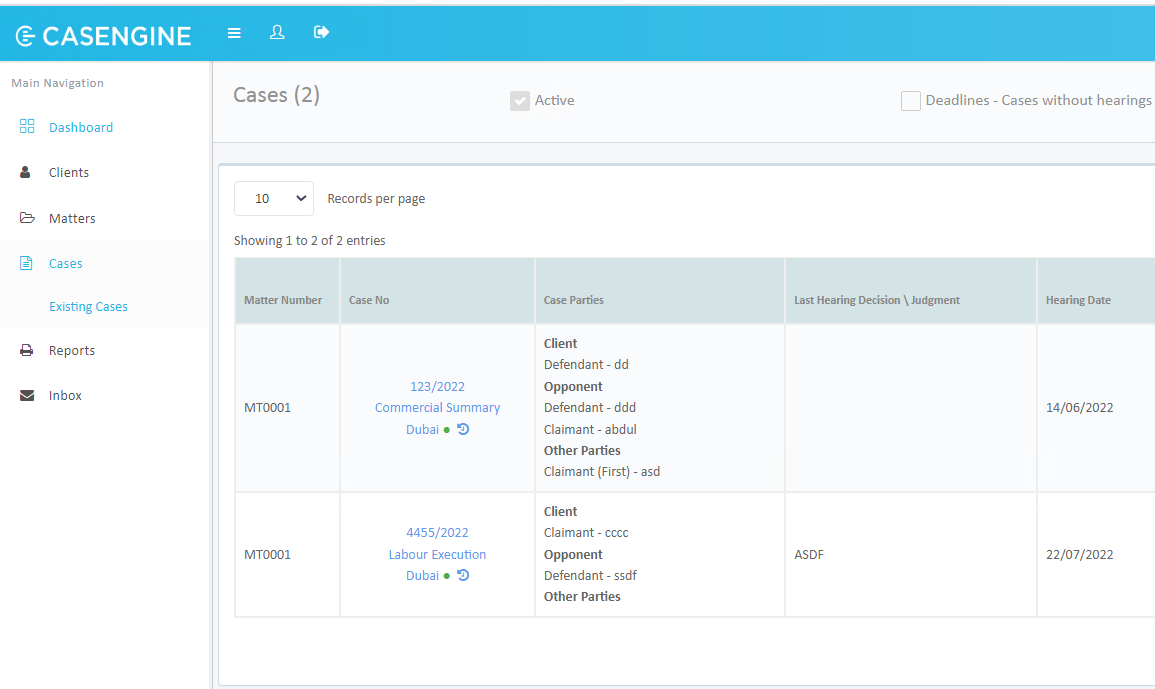
Once mapping is complete, the client user will have read-only access to all cases, matters, and related data belonging to the mapped client.
Related Articles:
User Registration | Activate | Send credentials | Set properties : CASENGINE
Was this article helpful?
That’s Great!
Thank you for your feedback
Sorry! We couldn't be helpful
Thank you for your feedback
Feedback sent
We appreciate your effort and will try to fix the article