Open Portal URL
Navigate to your company's portal. If you don't know the same, contact your admin or email at support@codengines.com
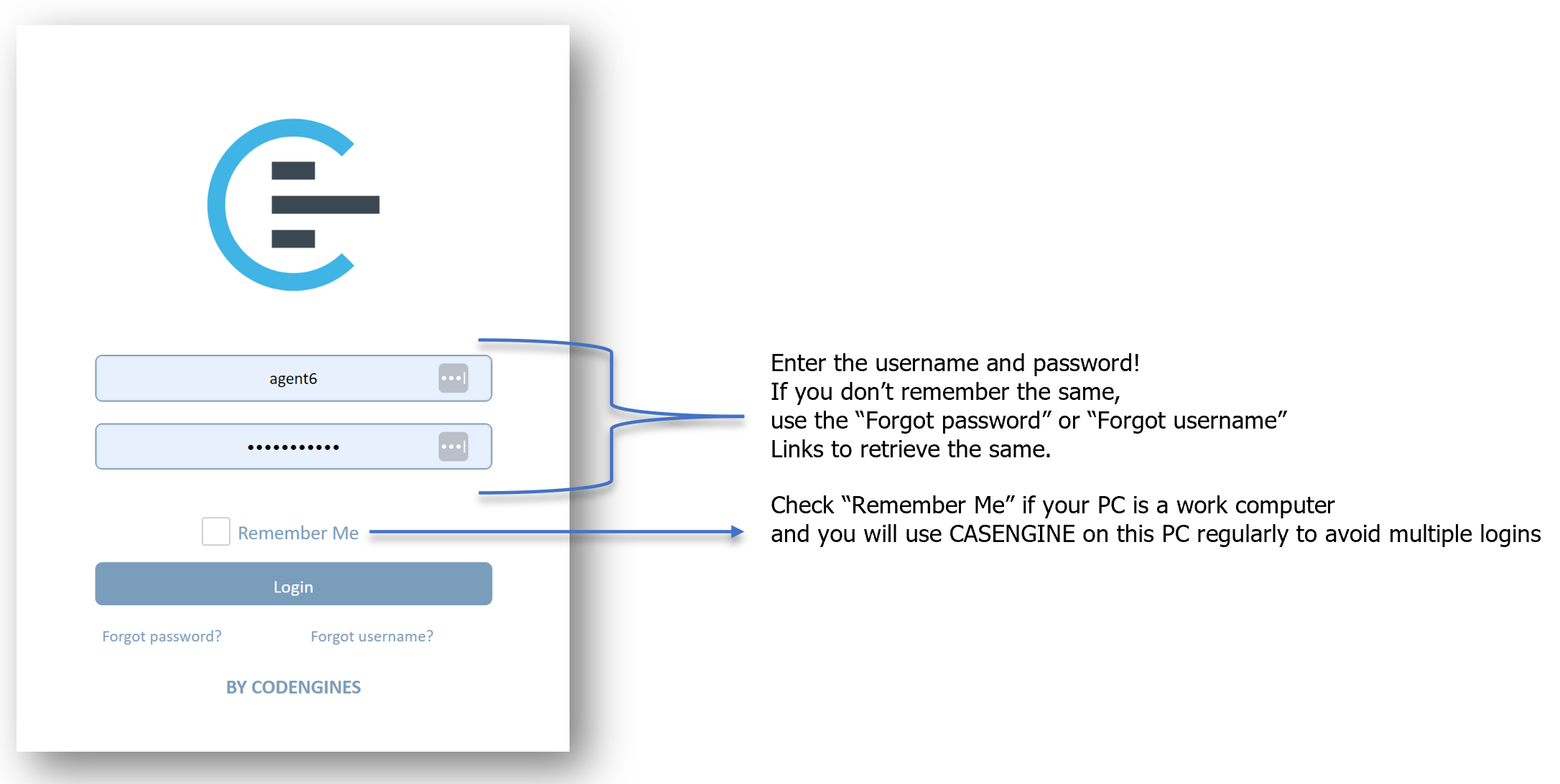
Press "Login"!
Retrieve Username and/or Password
In case you do not remember your credentials, you may retrieve them by using the links just below the "Login" button.
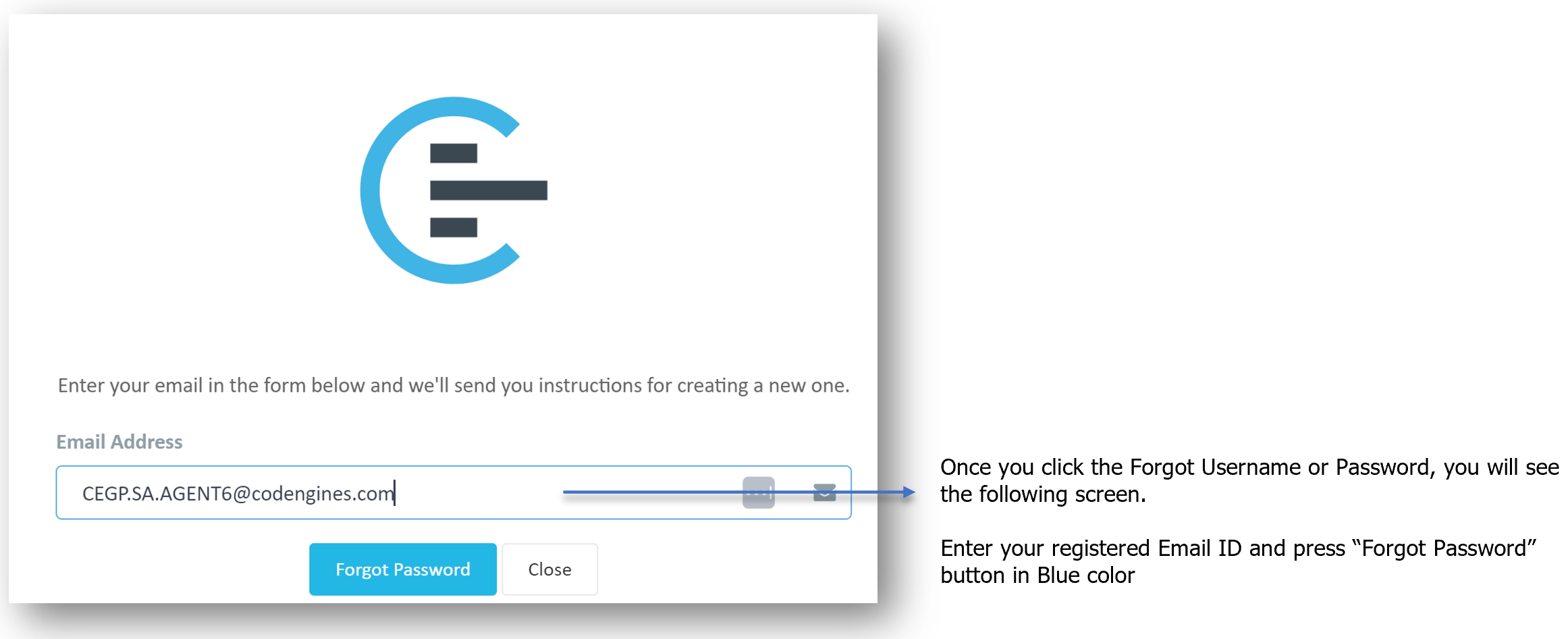 Make sure you enter the correct registered Email ID, else the system will not identify you and will not send the email.
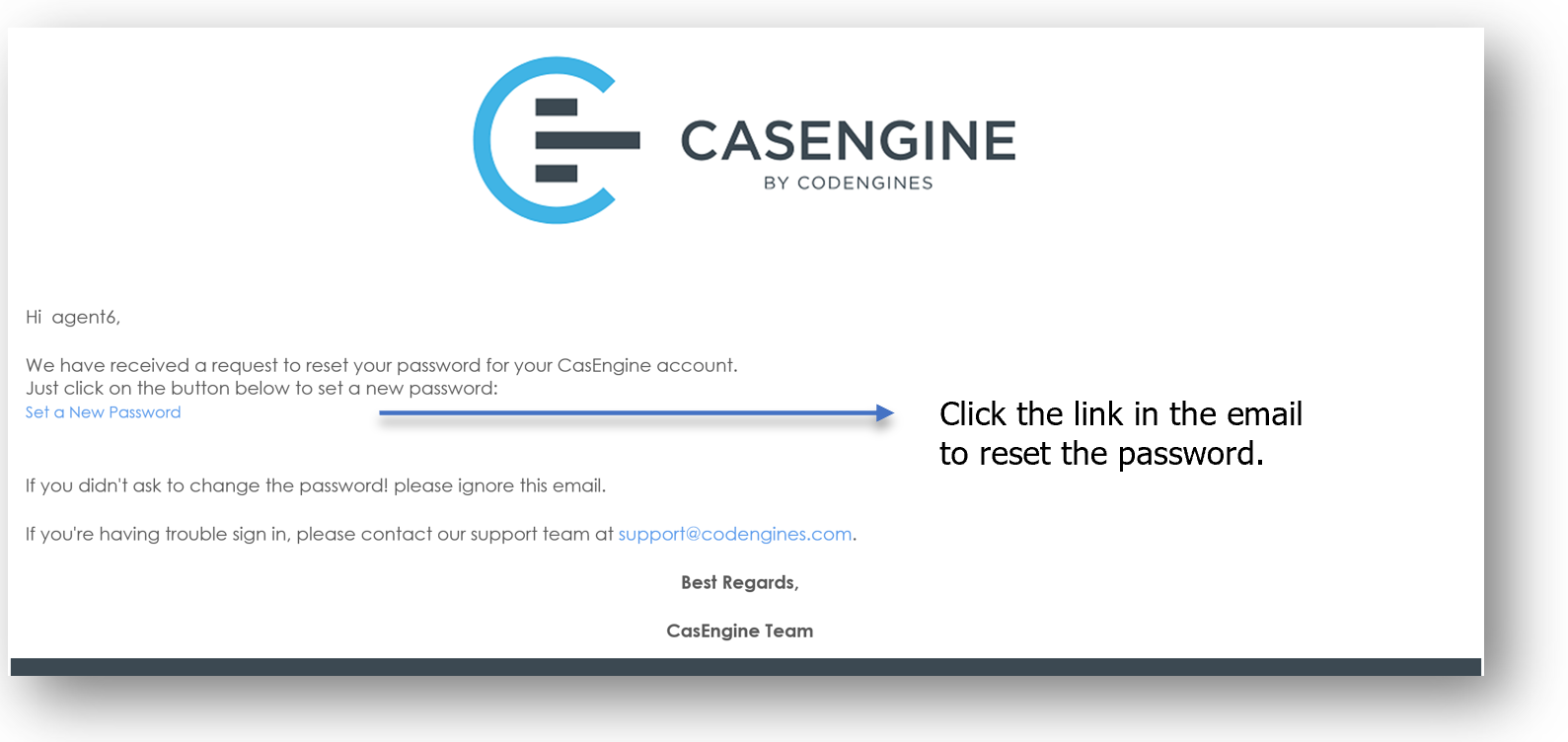
You will receive the following email on the registered Email ID:
 You will see the following screen as you click the link:
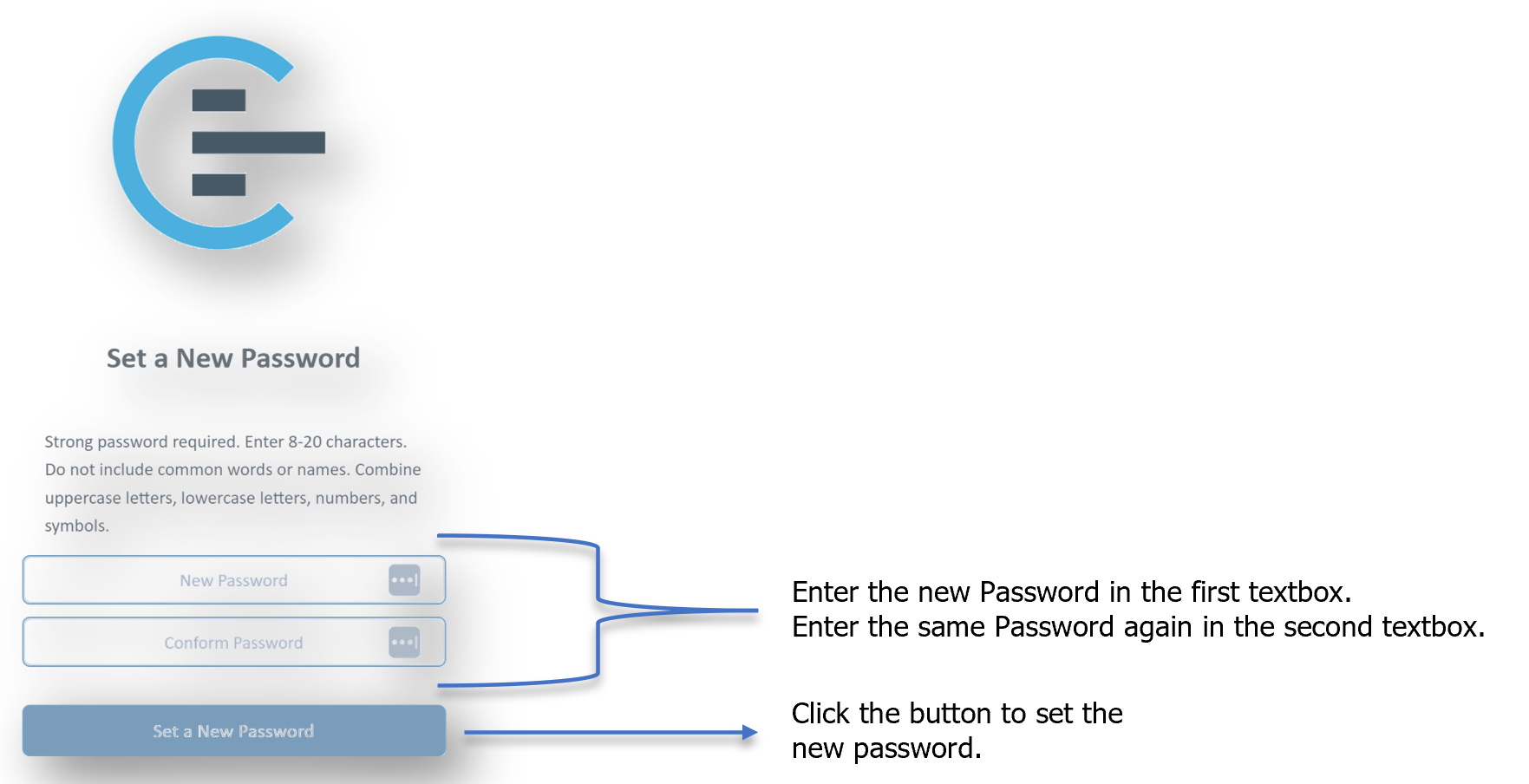
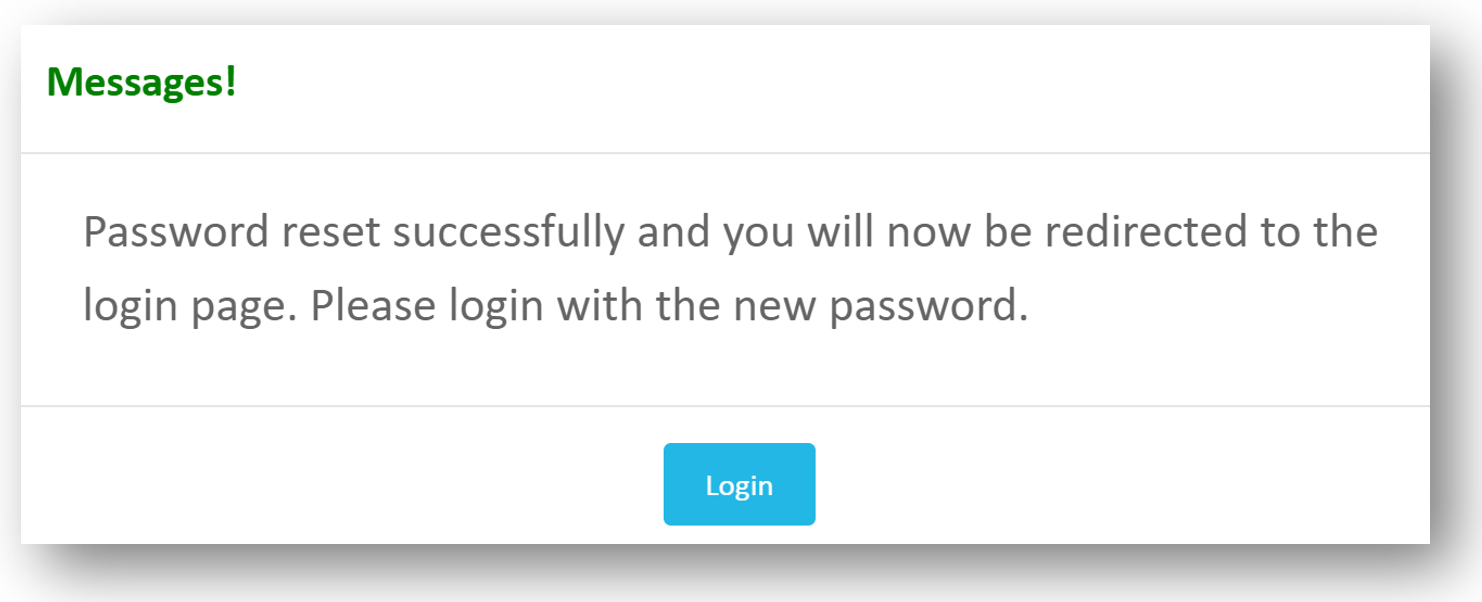
Great Job! The new Password is set and you can now go back to the Login page and login using the new Password.
Was this article helpful?
That’s Great!
Thank you for your feedback
Sorry! We couldn't be helpful
Thank you for your feedback
Feedback sent
We appreciate your effort and will try to fix the article