Publishing method: Internal (Organization only)
Overview
This guide explains how to deploy the CASENGINE Outlook Add-in internally using the Microsoft 365 Admin Center.
Prerequisites
Microsoft 365 Global Admin or Exchange Admin access
Outlook (Desktop or Web)
Internet access to CASENGINE hosting
Step 1: Download the Manifest
Download the Outlook add-in manifest file:
Primary link:
https://downloads.casengine.app/ce_outlook_manifest.zipAlternative link:
OUTLOOK - ADDON
Extract the ZIP file to get the XML manifest.
Step 2: Upload the Manifest (Admin Center)
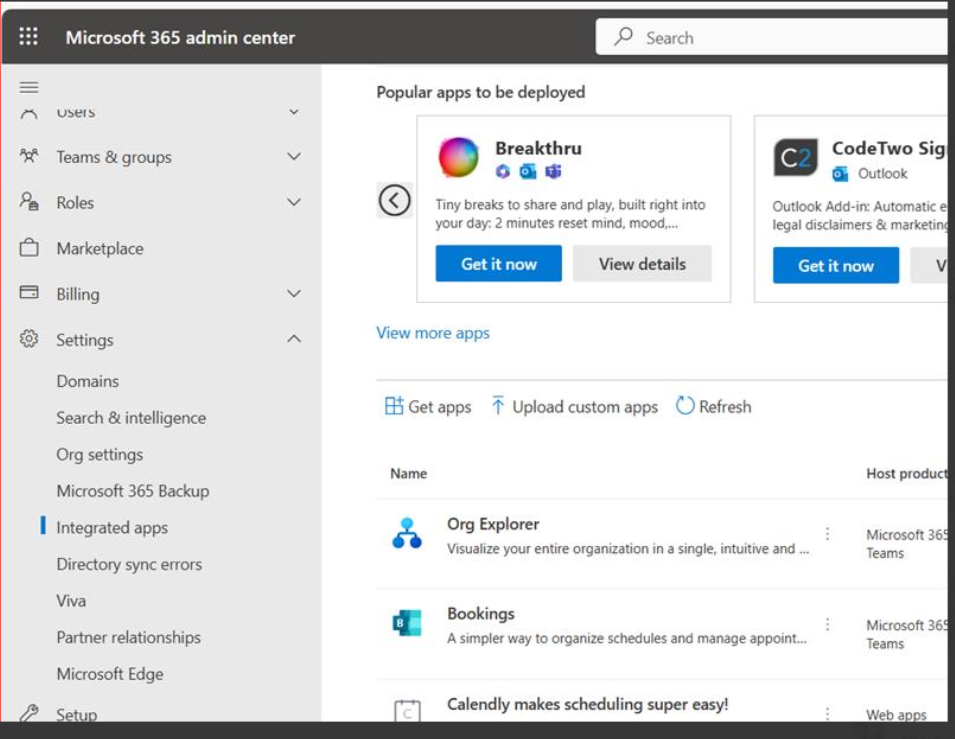
Go to Microsoft 365 Admin Center
Navigate to:
Settings → Integrated appsClick Upload custom app
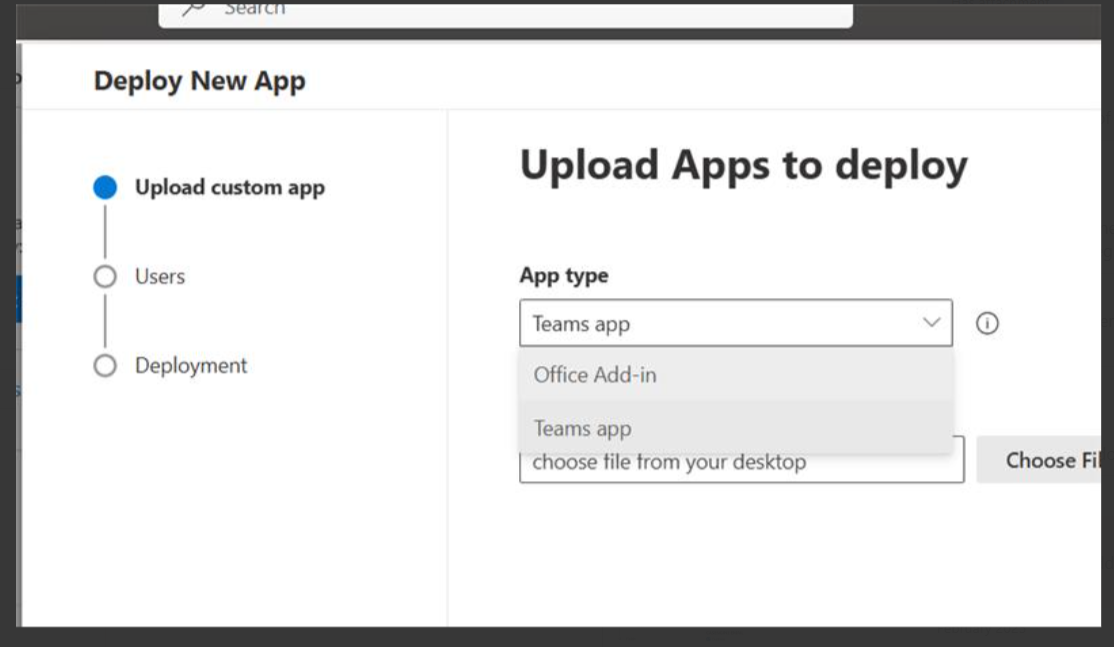
Choose Office Add-in
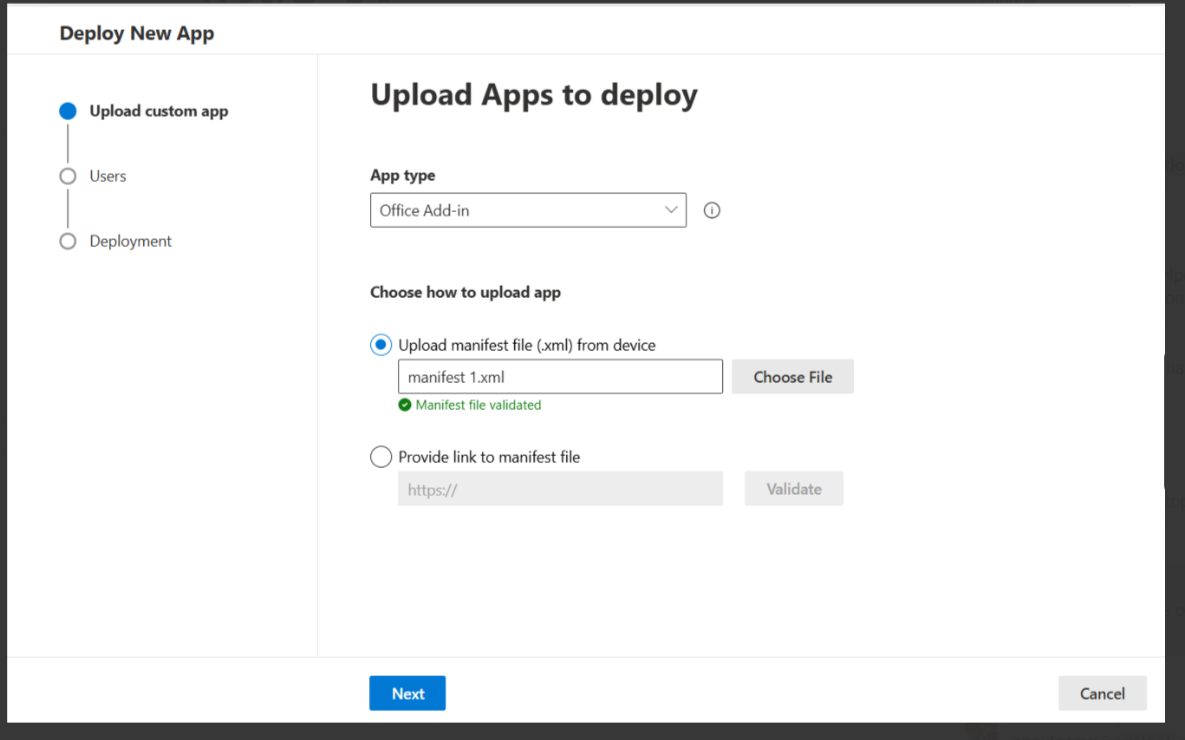
Upload the extracted manifest XML file
Assign users or groups
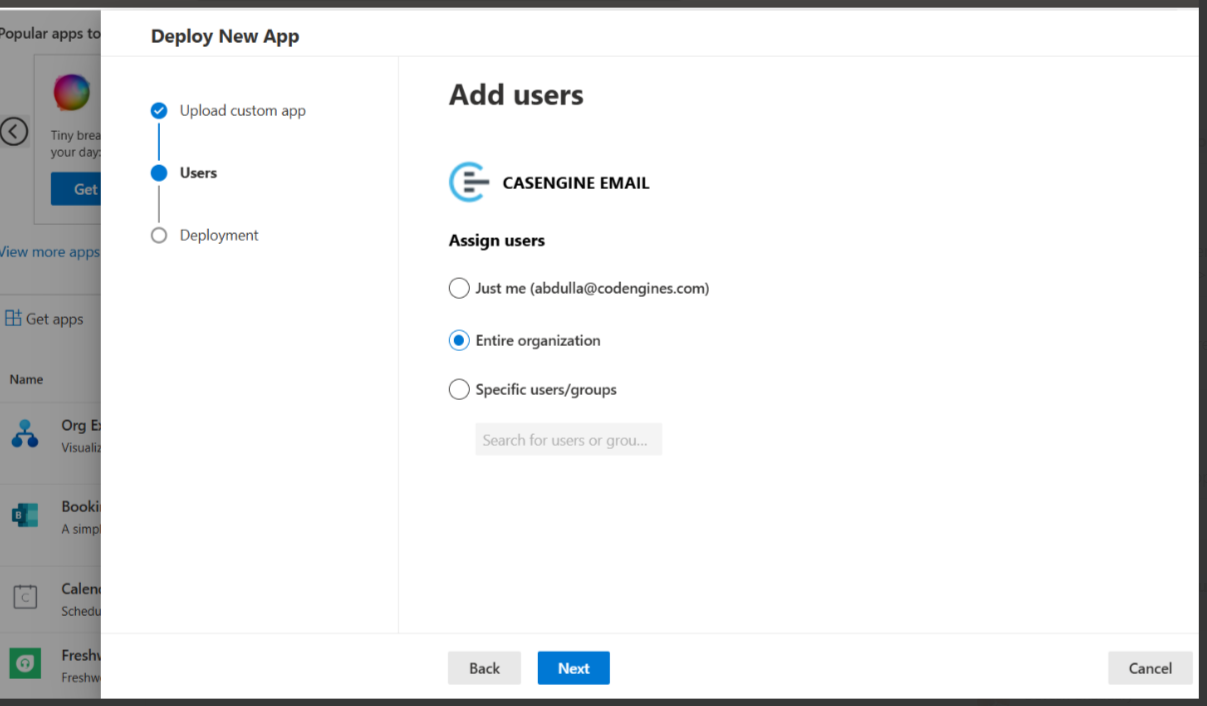
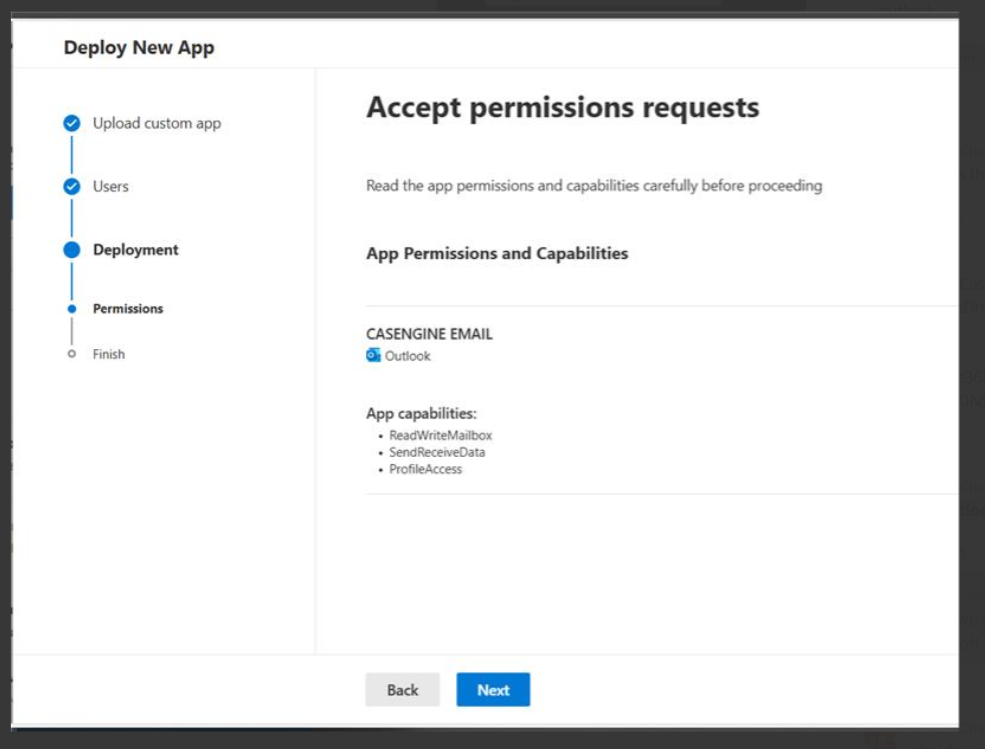
Complete the deployment
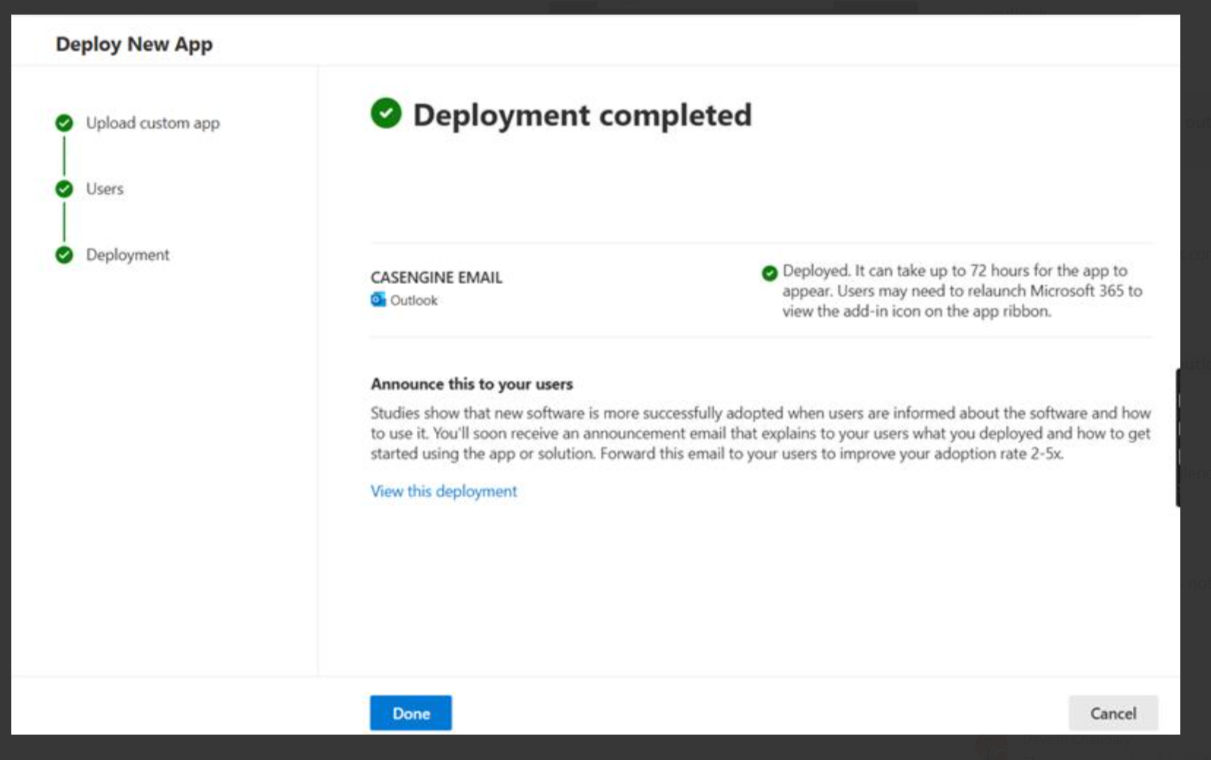
Step 3: Load / Verify the Add-in
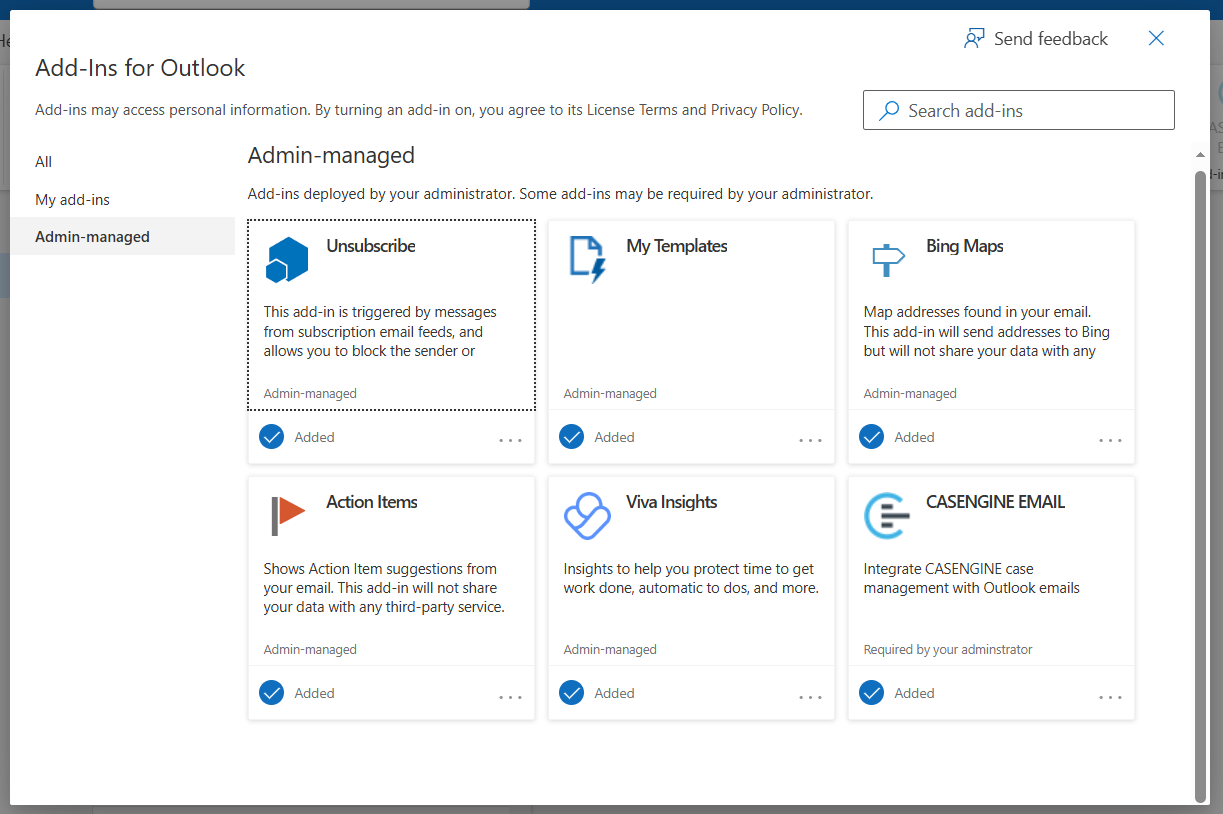
To manually load or verify sideloading (if required):
Restart Outlook if the add-in does not appear immediately.
Notes
This is an internal deployment (not published to Microsoft AppSource).
No confidential credentials are included in the manifest.
Admin consent is required due to mailbox permissions.
Related links:
Deploy add-ins in the admin center - Microsoft 365 admin | Microsoft Learn
Was this article helpful?
That’s Great!
Thank you for your feedback
Sorry! We couldn't be helpful
Thank you for your feedback
Feedback sent
We appreciate your effort and will try to fix the article