Document Archiving allows you to stop expiry reminders for documents that are no longer active while keeping them available for reference.
How to Archive a Document
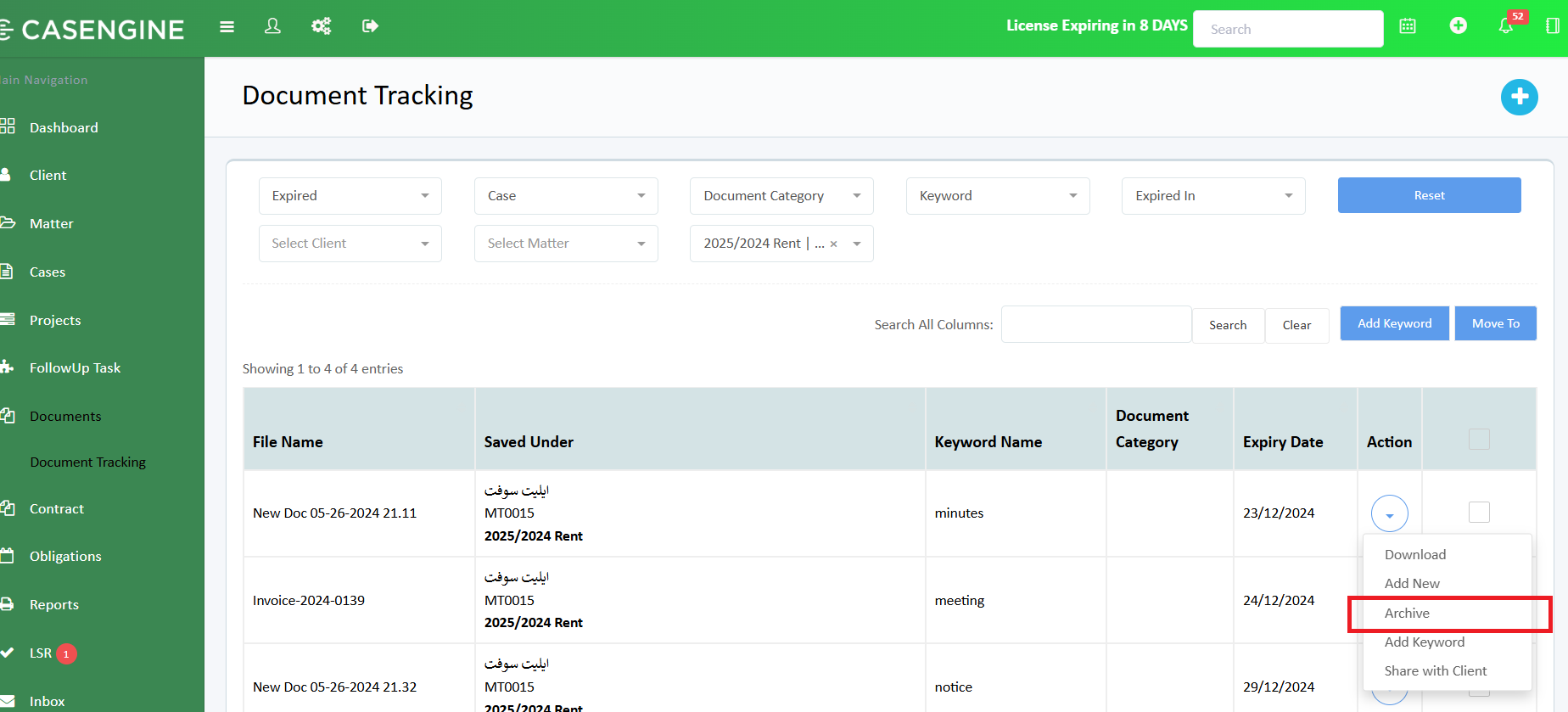
Navigate to Document Tracking from the main menu.
Locate the document you want to archive.
Click the Action (⋮) menu next to the document.
Select Archive.
✅ Once archived:
The document will no longer trigger expiry reminders.
The document remains stored securely and is not deleted.
How to View Archived Documents
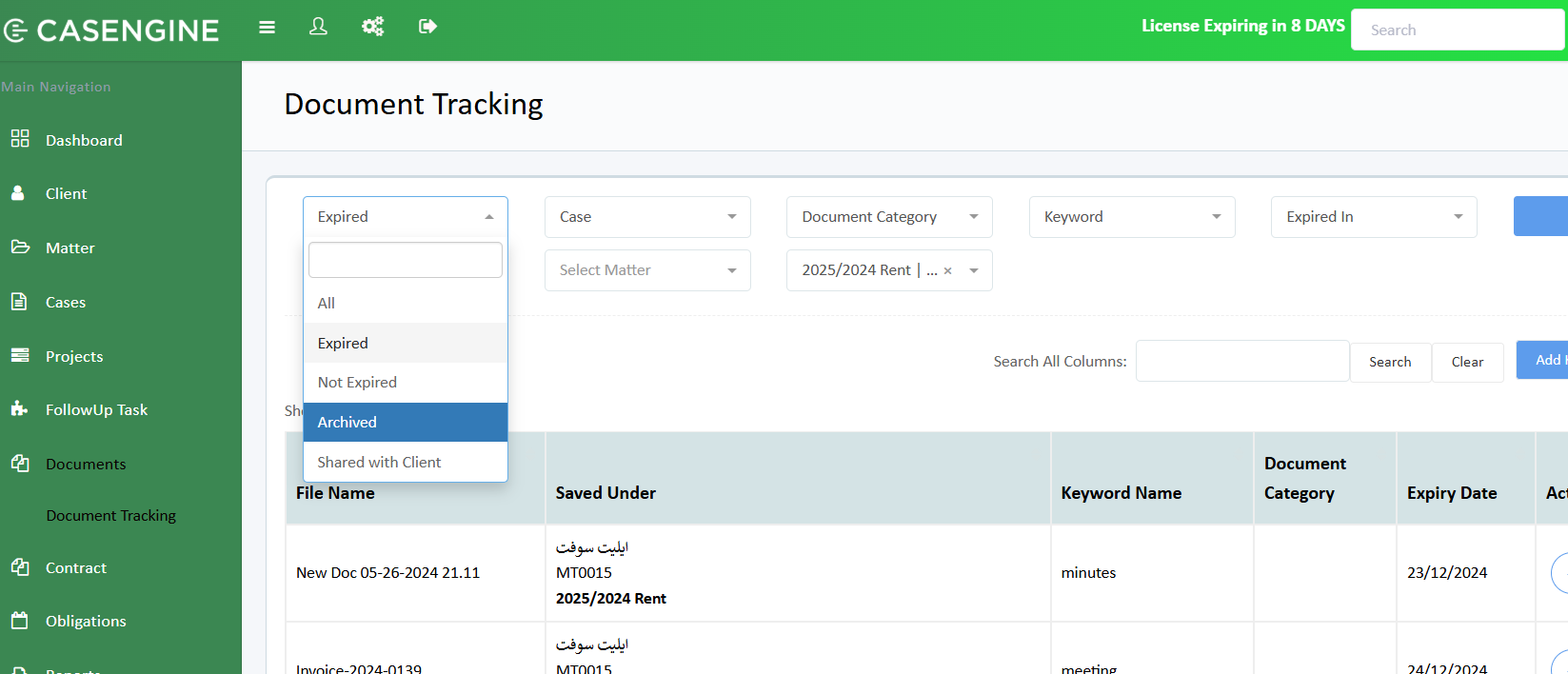
Go to Document Tracking.
In the first dropdown filter, select Archived.
The list will refresh and display all archived documents.
Important Notes
Archiving is recommended for expired, completed, or inactive documents.
Archived documents can still be downloaded or reviewed if required.
This helps keep active document lists clean and reduces unnecessary notifications.
Was this article helpful?
That’s Great!
Thank you for your feedback
Sorry! We couldn't be helpful
Thank you for your feedback
Feedback sent
We appreciate your effort and will try to fix the article