How to Enable Conflict Check
Follow the steps below to enable the Conflict Check feature:
Navigate to Settings → Existing Roles.
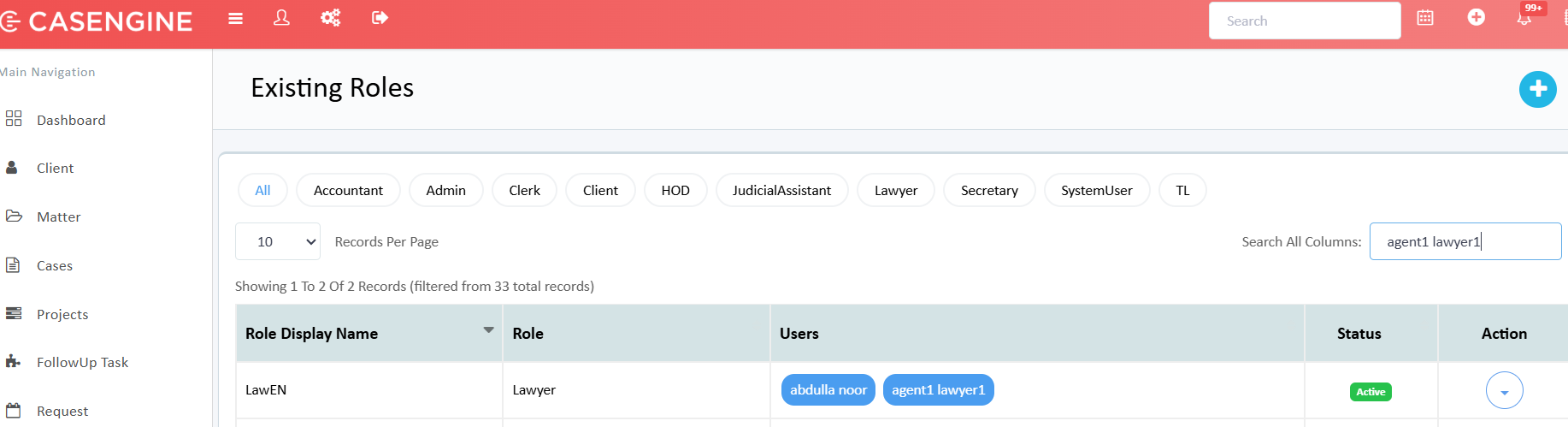
Select the required role.
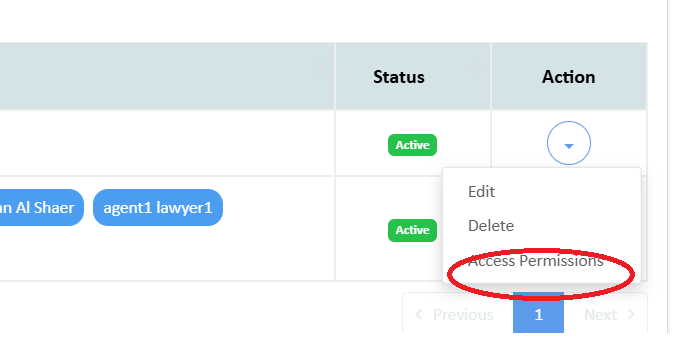
From the Action menu, click Access Permissions.
Enable the checkbox Conflict Check.
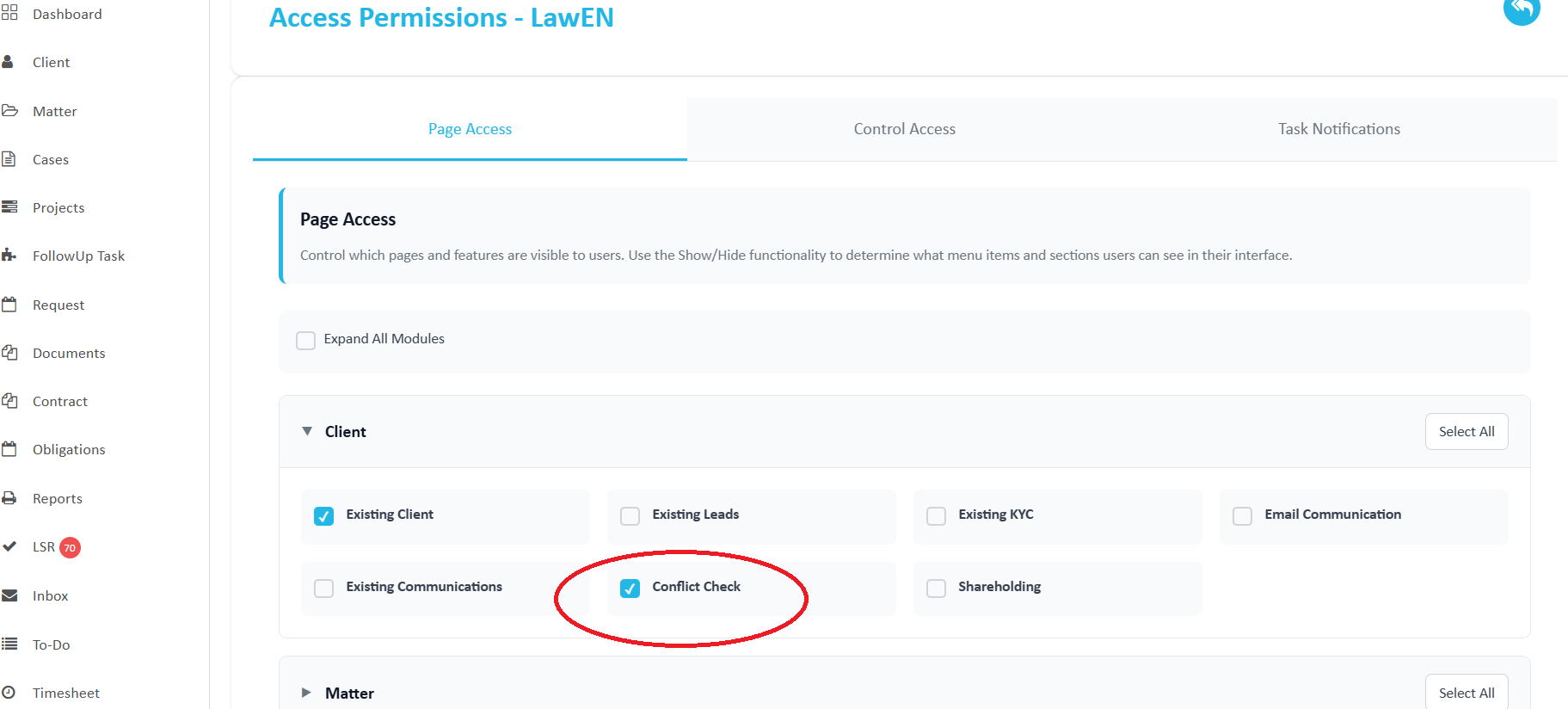
Save the changes.
Once enabled, the Conflict Check menu will be available under the Client section.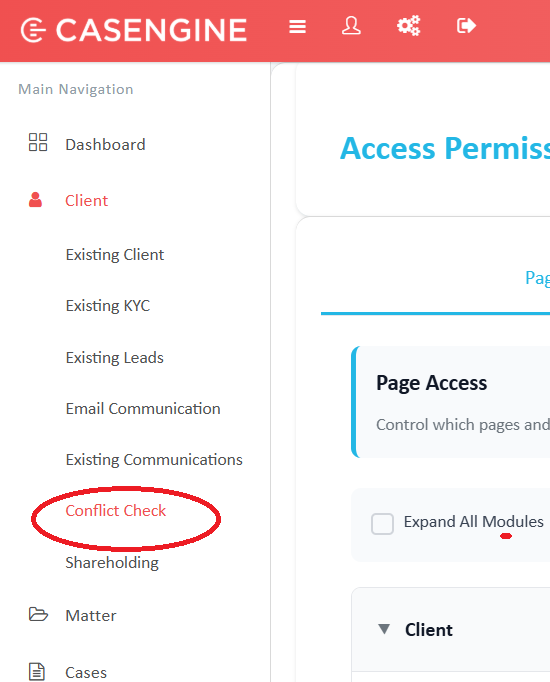
Related articles:
Was this article helpful?
That’s Great!
Thank you for your feedback
Sorry! We couldn't be helpful
Thank you for your feedback
Feedback sent
We appreciate your effort and will try to fix the article