Follow the steps below to configure a user as a Timesheet Approver.
1. Log in as an Administrator
Log in to the application using an Administrator account.
2. Navigate to User Registration
Go to:
Settings → User Registration
3. Edit the Required User
In the Users list:
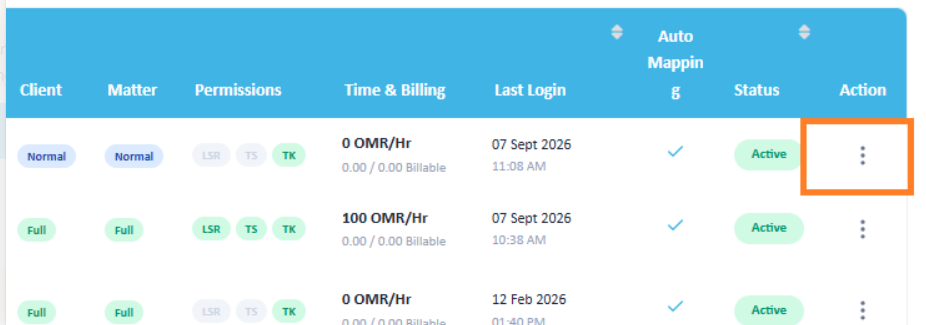
Scroll to the right to locate the Action menu (⋮).
Click the three-dot menu.
Select Edit User.
4. Open Permissions
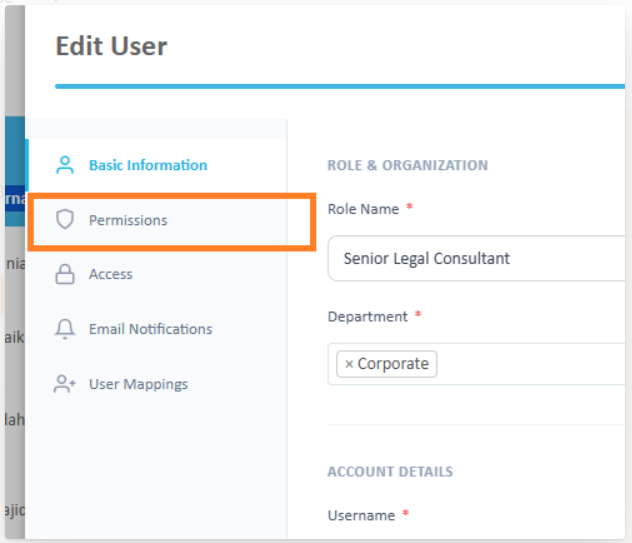
In the Edit User screen, select Permissions.
5. Enable Timesheet Approver
Under the permissions section:
Enable Timesheet Approver.
Select the users whose timesheets this user should be able to approve.
Click Update to save the changes.
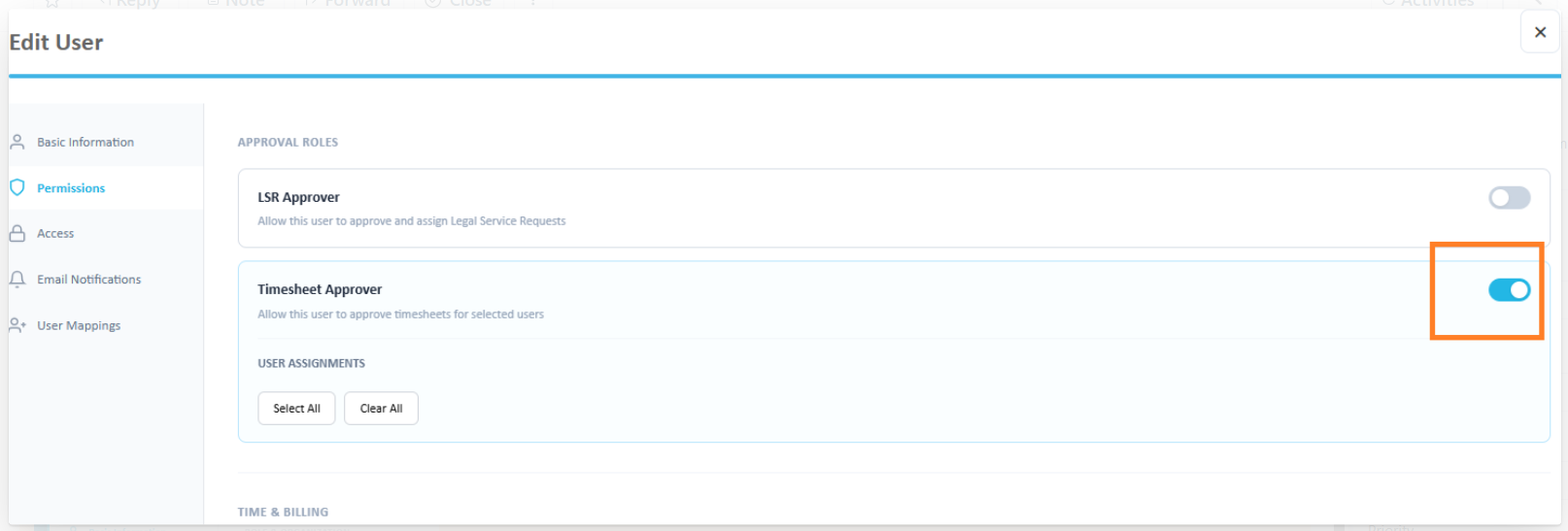
The selected user is now configured as a Timesheet Approver for the specified users.
Was this article helpful?
That’s Great!
Thank you for your feedback
Sorry! We couldn't be helpful
Thank you for your feedback
Feedback sent
We appreciate your effort and will try to fix the article